Why Markdown is the Universal Shell for Multi-Agent Coworking
Pczio Team
Published
Why Markdown is the Universal Shell for Multi-Agent Coworking
When building multi-agent AI workflows—where one agent outlines a project, another writes the code, and a third runs tests—you need a shared data medium.
If agents communicate via complex JSON schemas, they become fragile and break with minor API updates. If they communicate in raw text, they lose structure and formatting. Markdown is the sweet spot. It is readable by humans, natively understood by Large Language Models, and structurally expressive. It serves as the universal interface shell for multi-agent coworking.
1. Why LLMs Excel at Parsing Markdown
Large Language Models (LLMs) are trained extensively on internet data, where markdown is heavily used (e.g., GitHub readmes, documentation pages, blog posts). Because of this training bias:
- Semantic Headers: Headings (
#,##,###) act as natural attention anchor points for transformer models, helping them navigate long documents. - Code Scoping: Fenced code blocks (
```js) make it incredibly easy for parser agents to isolate, extract, and execute code without regular expression bugs. - Key-Value Clarity: Lists, checkboxes (
- [ ]), and bold tags highlight action items and priorities directly in the token stream.
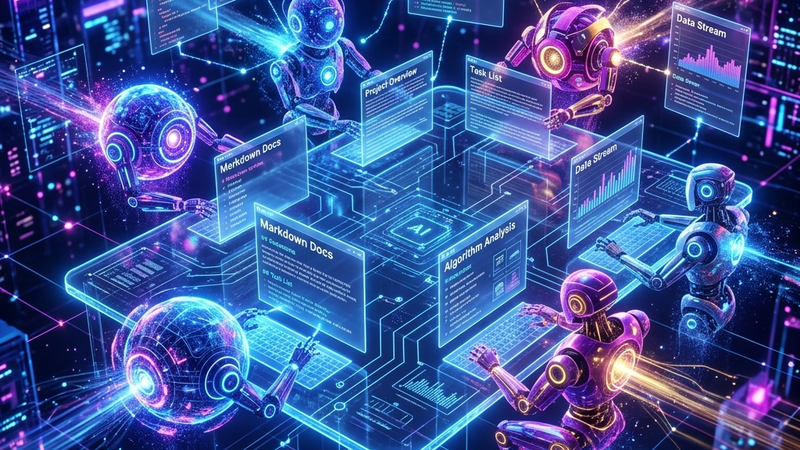
 Collaborating in a standardized Markdown syntax environment allows seamless AI parsing.
2. Structuring Markdown for RAG (Retrieval-Augmented Generation)
If you feed your Obsidian notes or documentation into a semantic search system (RAG) for your AI agents to reference, how you structure your markdown matters. Follow the Single Responsibility Note (SRN) pattern:
# Note Title: [One Specific Topic]
> Metadata: Tags, Links, Project Status

## Context / Overview
[Short 2-3 sentence summary for vector chunking]

## Implementation details
[Markdown tables or lists of key features]- Atomic Notes: Keep files focused on one module or decision. This ensures that when a vector search pulls a chunk, it gets the entire relevant context without noise.
- Header Anchors: Use descriptive headings. Instead of
## Setup, use## Installation Setup for Node.js App. This embeds local context into the chunked embedding itself.
3. Transmission packets in Multi-Agent Workflows
To show how the markdown transmission works across different developers and agents:
| Phase | Sender Agent | Receiver Agent | Payload File | Format |
|---|---|---|---|---|
| Planning | Planner Agent | Coder Agent | spec.md | Markdown outline & task list |
| Development | Coder Agent | Auditor Agent | code.md | Fenced source code blocks |
| Auditing | Auditor Agent | Developer | review.md | Auditing checklist & remarks |
By keeping all intermediate outputs in markdown, you can jump in at any stage of the process, read the notes, make a manual edit in VS Code or Obsidian, and let the next agent continue. There are no proprietary database schemas blocking your way.
4. How Pczio Bridges the Web-to-Markdown Gap
When you are researching or troubleshooting with AI tools in the browser, you are constantly generating data that should feed this multi-agent system. If you copy-paste code snippets manually, you lose the headers, the context, and the metadata.
Pczio’s exporter extensions, such as ChatGPT Downloader Pro and Gemini Exporter, allow you to save entire high-quality, pre-formatted Markdown archives with a single click. These files can immediately be indexed by your local agents or injected into your RAG pipelines.
[!TIP] When defining instructions for your AI agents, create a dedicated
/agent/workflows/folder and format your workflows as structured Markdown files. This ensures your agents can parse the exact execution steps without ambiguity.
For a deeper dive on structuring system-level instructions, check out our comprehensive guide on How to Use AI Skill Files or explore how to set up AutoHotkey vs PowerToys comparisons for local hotkey integration.
Tags